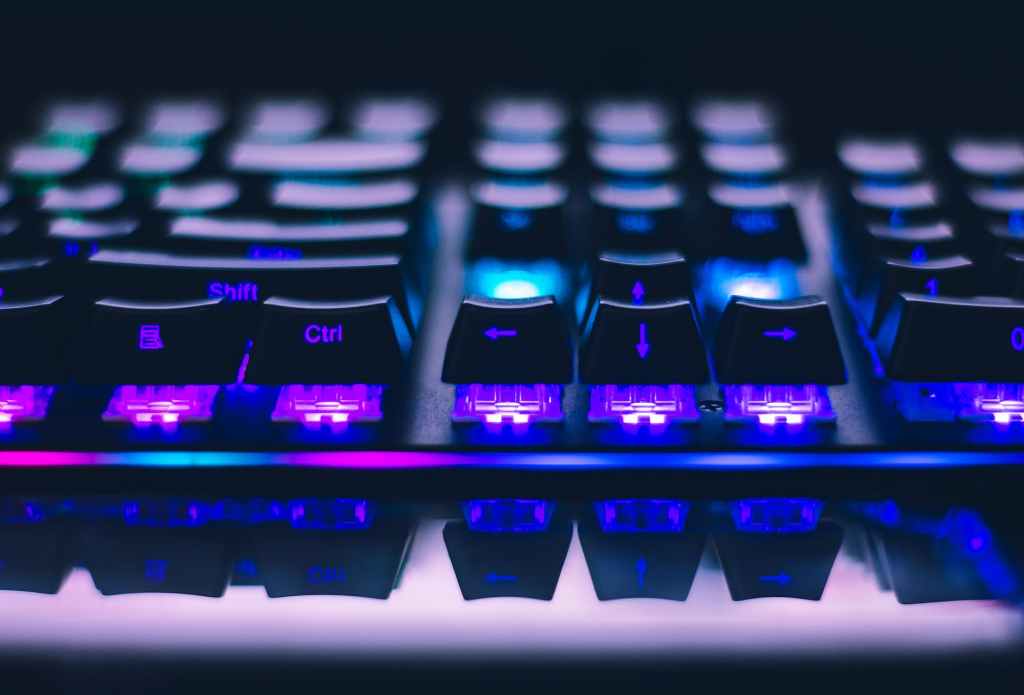
Wireless gaming keyboards have become increasingly popular in recent years, offering a level of convenience and flexibility that wired keyboards simply can’t match. However, with so many options on the market, it can be tough to know which one to choose. In this article, we’ll be discussing how to choose the right wireless gaming keyboard for your playstyle.
The first thing to consider when choosing a wireless gaming keyboard is your playstyle. Are you a fast-paced gamer who needs quick response times and minimal lag? Or are you more of a casual gamer who values comfort and customization options?
Different keyboards offer different features and benefits, so it’s important to choose one that aligns with your specific needs. We’ll be discussing some of the most important features to look for in a wireless gaming keyboard, so you can make an informed decision and find the perfect keyboard for your playstyle.
Understanding Your Gaming Needs
When it comes to choosing the right wireless gaming keyboard, understanding your gaming needs is crucial. We recommend considering the following factors before making a purchase:
1. Gaming Genre
Different gaming genres require different keyboard features. For example, if you’re into first-person shooters, you may want a keyboard with responsive keys and anti-ghosting technology. On the other hand, if you’re into strategy games, you may want a keyboard with programmable macro keys.
2. Playstyle
Your playstyle can also affect your choice of keyboard. If you’re a hardcore gamer who spends hours on end playing games, you may want a keyboard with comfortable wrist rests and ergonomic design. If you’re a casual gamer who plays occasionally, a simpler keyboard may suffice.
3. Budget
Wireless gaming keyboards can range from budget-friendly to high-end models with advanced features. Determine your budget and look for keyboards that fit within it.
4. Customizability
Some gamers like to customize their keyboard’s lighting, key bindings, and macros. If you’re one of them, look for a keyboard with software that allows for customization.
5. Wireless Connectivity
Wireless gaming keyboards offer freedom of movement and reduce clutter on your desk. However, they may have latency issues or require frequent battery replacements. Consider these factors before making a decision.
By considering these factors, you can choose a wireless gaming keyboard that suits your needs and enhances your gaming experience.
The Basics of Wireless Gaming Keyboards
When it comes to gaming, having the right keyboard can make all the difference. A wireless gaming keyboard gives you the freedom to move around and play from a comfortable distance, but it’s important to choose the right one for your playstyle. In this section, we’ll cover the basics of wireless gaming keyboards and what to look for when choosing one.
Types of Keyboards
There are two main types of wireless gaming keyboards: membrane and mechanical. Membrane keyboards are quieter and more affordable, but they don’t offer the same tactile feedback as mechanical keyboards. Mechanical keyboards are more expensive but offer a better typing experience and faster response times.
Key Switches
Key switches are the mechanisms that register each keystroke. There are three main types of key switches: linear, tactile, and clicky. Linear switches are smooth and consistent, while tactile switches provide a bump when the key is pressed. Clicky switches are tactile and also produce an audible click. The type of switch you choose depends on your personal preference and playstyle.
Connectivity Options
Wireless gaming keyboards can connect to your computer in a number of ways. Bluetooth is a popular option for wireless connectivity, but it can have latency issues. Some keyboards come with a USB dongle that provides a more stable connection. Others use a hybrid approach, allowing you to switch between wired and wireless modes.
Overall, when choosing a wireless gaming keyboard, it’s important to consider the type of keyboard, key switches, and connectivity options that will work best for your playstyle. By doing so, you can ensure that you have a keyboard that will help you perform your best in every game.
Assessing Key Features for Gaming
When choosing a wireless gaming keyboard, it’s important to consider key features that will enhance your gaming experience. In this section, we will discuss some key features to assess when choosing a wireless gaming keyboard.
Anti-Ghosting and Key Rollover
Anti-ghosting and key rollover are important features to consider when choosing a wireless gaming keyboard. Anti-ghosting ensures that all of your keystrokes are registered, even when multiple keys are pressed at the same time. Key rollover, on the other hand, determines how many keys can be pressed at once without any input being lost. For gaming, it’s recommended to choose a keyboard with at least 6-key rollover and anti-ghosting features to ensure smooth gameplay.
Backlighting
Backlighting is another important feature to consider when choosing a wireless gaming keyboard. Backlit keys can help you see the keys in low-light environments, making it easier to type and game. Additionally, some keyboards come with customizable lighting options, allowing you to adjust the brightness and color of the backlighting to your preference.
Programmable Keys
Programmable keys are a great feature to have on a wireless gaming keyboard. They allow you to customize the keyboard to your specific needs, creating shortcuts for frequently used commands and macros. This can save you time and improve your gameplay, making it easier to execute complex moves and actions.
Overall, when assessing key features for gaming, it’s important to choose a wireless gaming keyboard that meets your specific needs and playstyle. By considering anti-ghosting and key rollover, backlighting, and programmable keys, you can find a wireless gaming keyboard that will enhance your gaming experience.
Ergonomics and Comfort
When it comes to gaming, comfort is key. A keyboard that is uncomfortable to use can cause discomfort, pain, and even injury over time. Therefore, it is important to choose a wireless gaming keyboard that is ergonomically designed and comfortable to use, especially during long gaming sessions.
Keyboard Size
The size of the keyboard is an important factor to consider when looking for a wireless gaming keyboard. A keyboard that is too small can be uncomfortable to use, while a keyboard that is too large can take up too much space on your desk. Therefore, it is important to choose a keyboard that is the right size for your playstyle and gaming setup.
Wrist Rest
A wrist rest is a useful feature to look for in a wireless gaming keyboard. It can provide support for your wrists and help prevent strain and injury. However, not all keyboards come with a wrist rest, so it is important to check if the keyboard you are interested in has this feature. If it does not, you may want to consider purchasing a separate wrist rest.
Overall, when choosing a wireless gaming keyboard, it is important to prioritize ergonomics and comfort. A keyboard that is comfortable to use can help you play for longer periods of time without discomfort or pain, allowing you to focus on your game and play at your best.
Brand and Price Considerations
When it comes to choosing the right wireless gaming keyboard, brand and price are two important factors to consider. Let’s take a look at some of the things you should keep in mind when making your decision.
Reputable Brands
We recommend sticking with well-known brands that have a reputation for producing high-quality gaming keyboards. Some of the most popular brands in this space include Logitech, Corsair, Razer, and SteelSeries. These brands have been around for a long time and have a proven track record of producing reliable and durable gaming keyboards.
Price Range
Wireless gaming keyboards can vary significantly in price, so it’s important to set a budget before you start shopping. Entry-level keyboards can cost as little as $30, while high-end models can cost upwards of $200.
Keep in mind that just because a keyboard is more expensive doesn’t necessarily mean it’s better. You’ll want to look for a keyboard that has the features you need at a price point that you’re comfortable with.
In general, we recommend spending at least $50 to $100 on a wireless gaming keyboard. This will give you access to a wide range of options with solid build quality and features that will enhance your gaming experience.
When looking at the price of a keyboard, don’t forget to factor in any additional costs, such as shipping or taxes. Some retailers may also offer discounts or promotions that can help you save money.
Overall, when considering brand and price, it’s important to do your research and find a keyboard that fits your needs and budget. By sticking with reputable brands and setting a reasonable price range, you’ll be well on your way to finding the perfect wireless gaming keyboard for your playstyle.
Maintaining your keyboard
Proper care and maintenance of your wireless gaming keyboard are essential to ensure it functions well and lasts a long time. Here are some tips to help you keep your keyboard in excellent condition:
1. Regular cleaning
Dust and debris can accumulate over time and affect performance. Clean your keyboard regularly with a can of compressed air or a small brush to remove loose particles. For more thorough cleaning, consider removing the keycaps and cleaning beneath them.
2. Avoid spills
Liquid spills are one of the most common causes of keyboard damage. Be cautious when eating and drinking near your keyboard. If a spill does occur, immediately disconnect the keyboard, turn it upside down to drain any liquid, and let it dry completely before attempting to use it.
3. Avoid Excessive Force
Treat your keyboard gently. Avoid pounding on the keys or using excessive force, as this can lead to keycap damage or switch wear.
4. Protect from Food and Dust
Consider using a keyboard cover or dust cover when the keyboard is not in use. This can prevent dust, crumbs, and other debris from getting between the keys.
5. Keycap Removal and Cleaning
Some keyboards allow for keycap removal. Carefully remove and clean the keycaps if they become dirty or sticky. Be sure to remember the key positions or take a picture before removing them so you can replace them correctly.
Remember that prevention is key to ensuring the longevity of your wireless gaming keyboard. By following these care and maintenance tips, you can help keep your keyboard in excellent condition and enjoy uninterrupted gaming experiences.
Making the Final Decision
Now that we have gone through the factors that you should consider when choosing a wireless gaming keyboard, it’s time to make the final decision. Here are some tips to help you make the right choice:
- Evaluate your budget: Determine how much you are willing to spend on a wireless gaming keyboard. Remember, the more features a keyboard has, the more expensive it will be.
- Consider your playstyle: Think about the games you play and the type of gamer you are. If you are a casual gamer, a keyboard with basic features will suffice. But if you are a hardcore gamer, you may want a keyboard with programmable keys and customizable lighting.
- Read reviews: Look for reviews from other gamers who have used the keyboard you are considering. This will give you an idea of the keyboard’s strengths and weaknesses.
- Try before you buy: If possible, try out the keyboard before you purchase it. This will give you a feel for the keyboard and help you decide if it’s the right one for you.
- Consider the brand: Choose a reputable brand that has a good track record for producing quality gaming keyboards.
By considering these factors, you will be able to make an informed decision and choose the right wireless gaming keyboard for your playstyle.
 GamerLoadouts